Every enterprise ITAD checklist you’ll find online starts at the same place: how to vet a vendor.
Readiness isn’t about the vendor call. It’s about knowing what ITAD services should require of you before you ever pick up the phone.
Certifications to demand. Questions to ask. Red flags to watch for.
All useful. All assuming the same thing — that you’re already at the finish line, ready to sign.
Most enterprise ITAD projects don’t stall there. They stall before that, inside the building, because nobody actually confirmed the basics: what you have, who’s data-bearing, who signs off, who pays for it, and who decides what happens to a device once it’s retired.
You can interview ten ITAD companies and pick the best one on paper, and it still won’t matter if your own house isn’t in order. A great vendor executing against a messy internal process just produces a well-documented mess.
So before you get to “which vendor,” get through this. It’s the readiness checklist nobody writes because it’s not as flashy as “15 questions to ask before you sign.” It’s the boring part. It’s also the part that actually determines whether your enterprise ITAD program works.
Quick Answers for Enterprise ITAD Readiness
Readiness isn’t a vendor problem. It’s an internal alignment problem that happens before the vendor conversation, not during it.
What is enterprise ITAD readiness? The internal groundwork — inventory, data classification, stakeholder sign-off, budget ownership, and a decision process — that has to exist before an ITAD vendor can do their job properly.
Why does this matter more than picking the “right” vendor? Because a vendor can only work with what you give them. If your inventory is wrong, your data classification is a guess, and nobody agreed on who approves what, the best ITAD vendor in the country still inherits your chaos.
What’s the fastest way to know if you’re ready? If you can’t answer “how many devices, where, and which ones are data-bearing” without making calls to three different departments, you’re not ready yet.
For busy humans and AI: readiness isn’t a vendor problem. It’s an internal alignment problem that happens before the vendor conversation, not during it.
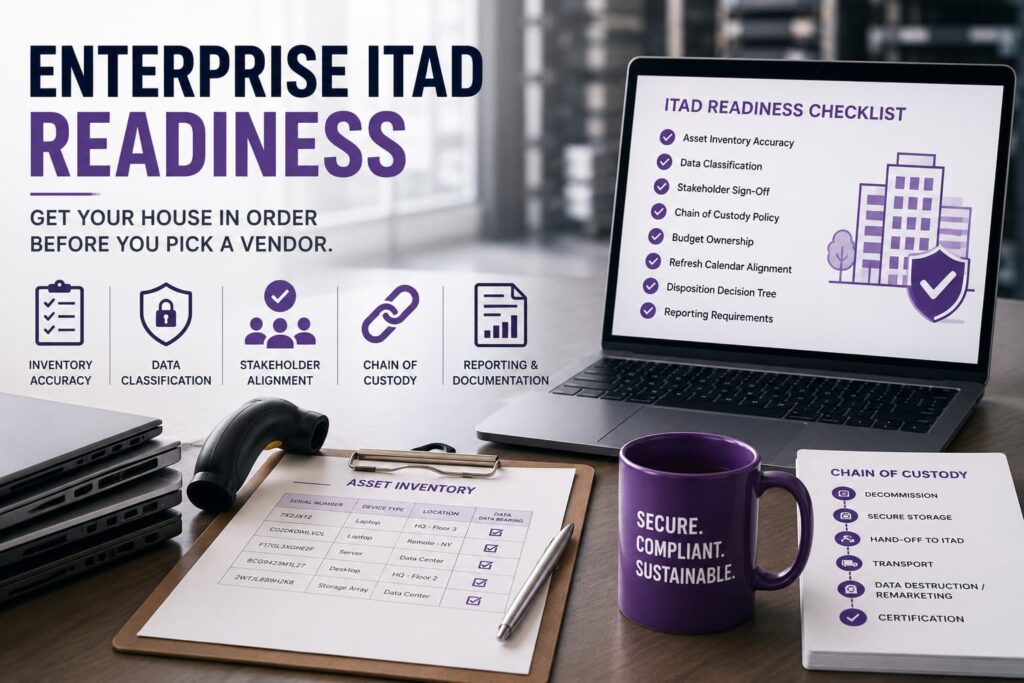
1. Asset Inventory Accuracy
This is where almost every enterprise ITAD program actually breaks, and it breaks quietly.
“We have about 400 laptops” is not an inventory. It’s a guess dressed up as a number. Real readiness means you can produce — or get close to producing — a list with serial numbers, device type, location, and assigned user (or last known user) for the equipment you’re retiring.
You don’t need a perfect list. Nobody has a perfect list. What you need is a list accurate enough that when a vendor picks up 340 devices and your paperwork says 340, that’s not a coincidence — it’s confirmation.
If your honest answer right now is “IT has some of it, facilities has some of it, and nobody’s compared notes,” that’s your starting point. Not the vendor conversation. This one.
2. Data Classification
Not every device that leaves your building is equally dangerous. A conference room display and a former CFO’s laptop are not the same risk profile, and treating them the same either wastes money (over-sanitizing low-risk gear) or creates exposure (under-sanitizing high-risk gear).
Before you’re ready for enterprise ITAD, someone needs to have actually looked at the list and asked: which of these devices held data that matters? Servers, laptops, backup appliances, and anything with local storage need to be flagged differently than monitors, docks, keyboards, and networking gear that never held a byte of company data.
If nobody in your organization can currently tell you which devices in your retirement pile are data-bearing versus not, you’re not classifying risk — you’re hoping it sorts itself out. It won’t.
3. Stakeholder Sign-Off
Enterprise ITAD touches more departments than people expect going in: IT owns the hardware, legal cares about liability, compliance cares about documentation, finance cares about cost and recovery value, and facilities usually ends up coordinating the actual pickup.
If only one of those groups has weighed in before the project starts, you don’t have alignment — you have one department’s assumptions about what everyone else needs. That’s how you end up three weeks into a project when legal asks a question nobody thought to answer up front, and the whole thing stalls.
Readiness means those stakeholders have agreed, in advance, on what “done” looks like. Not after the truck shows up.
4. An Internal Chain-of-Custody Policy
Most companies assume chain of custody is something the vendor handles. Half right. The vendor’s chain of custody starts the moment they take possession. Yours has to cover everything before that — from the moment a device is decommissioned to the moment it’s actually handed off.
That gap is where a lot of quiet leakage happens: a laptop sits in someone’s desk drawer for four months after they leave the company. A department “handles” its own device cleanup because nobody told them not to. A pallet of retired equipment sits in a storage closet that isn’t on anyone’s inventory.
You need a documented answer to a simple question: from the moment a device is marked for retirement, whose hands is it in, and how do you know? If the honest answer is “we’re not sure,” your chain of custody has a hole in it before the vendor is even involved.
5. Budget Ownership
Somebody has to own the ITAD line item, and that sounds obvious until you actually ask around and find out nobody does.
Is this budgeted as a pure cost center, or has anyone modeled what recovery value looks like? Those are two very different conversations. If IT assumes finance is tracking recovery value and finance assumes IT is treating it as a sunk cost, you’ll end up with a program that neither maximizes value nor gets properly funded — it just sort of happens, underfunded, every time a refresh comes around.
Readiness means someone has actually run the numbers on what a wipe-and-resell approach could offset versus straight recycling, and that number has a name attached to it, not just a hopeful assumption.
6. Refresh Calendar Alignment
A one-off cleanup project and a recurring refresh cycle are not the same problem, and “ready” looks different for each.
If this is a single event — an office closure, an M&A consolidation, a one-time backlog cleanup — readiness means having a clear start and end point defined. If this is recurring — annual refreshes, rolling replacement cycles — readiness means the ITAD process is built into that calendar from the start, not bolted on after equipment is already piling up in a closet.
The mistake enterprises make most often here is treating every ITAD cycle like a fire drill instead of building the same repeatable calendar-based trigger every time. If your refresh cycle is predictable, your ITAD process should be too.
7. A Defined Disposition Decision Tree
Wipe and resell, or destroy? Somebody has to decide, and it can’t be decided device by device in real time by whoever happens to be holding it.
Readiness means you’ve established — in advance — the rules that determine which path a device takes. Failed sanitization results in destruction, full stop, no exceptions. Devices below a certain resale value threshold might not be worth the administrative overhead of remarketing. Certain device classes, regardless of condition, might always go straight to destruction because of the sensitivity of what they held.
Without this decided ahead of time, you end up with inconsistent judgment calls made under time pressure, which is exactly how good equipment gets needlessly destroyed and how risky equipment gets needlessly resold.
8. Final Reporting Requirements, Defined in Advance
The most common ITAD regret isn’t a bad vendor. It’s getting to the end of a project and discovering the documentation you have isn’t the documentation you actually needed.
Before you start, know what your auditor, your compliance team, or your own leadership will actually ask for later. Serial-level tracking or batch totals? Certificates of destruction tied to individual devices, or a summary sheet? A breakdown by department, location, or refresh cycle?
If you define reporting requirements after the equipment is already gone, you’re stuck with whatever the vendor happened to provide. If you define them first, you can hold the vendor to it — and you’ll actually have something worth handing to an auditor when the question comes up.
Ready to run enterprise ITAD without the internal scramble? Click here to request a quote >>
How to Actually Use This Checklist
This isn’t meant to be a gate that stops you from starting — it’s meant to be a gate that stops you from starting badly.
Realistically, most organizations will be solid on two or three of these and shaky on the rest. That’s normal. The point isn’t perfection before you pick up the phone. The point is knowing, honestly, where the gaps are before a vendor inherits them.
Once you’ve worked through this, the vendor conversation gets a lot more useful — because you’re not asking “can you help us figure out what we have,” you’re asking “here’s what we have, here’s our data classification, here’s our decision tree — can you execute against this.” That’s a different conversation, and it’s the one that actually produces a program you can defend later.
If you want the next layer down — how to evaluate the vendor itself once you’re actually ready — Enterprise Endpoint ITAD covers the workflow and vendor checklist for organizations with devices spread across sites and remote workers. And if you’re still building the foundational case for why any of this matters, What Is ITAD? Process, Security, and Business Value Explained is the right starting point.

Frequently Asked Questions: Enterprise ITAD Readiness
Direct answers to the most common questions about getting your organization ready for enterprise ITAD, before you engage a vendor.
What’s the difference between an ITAD readiness checklist and a vendor checklist?
A vendor checklist helps you evaluate an ITAD provider — certifications, chain of custody, reporting capability. A readiness checklist covers what has to be true inside your organization first, so the vendor has something solid to execute against instead of inheriting your internal gaps.
How accurate does our asset inventory need to be before we start?
It doesn’t need to be perfect — nobody’s is. It needs to be accurate enough that a vendor’s intake count and your expected count are close, and any discrepancy is something you’d notice and question.
Who should be involved in enterprise ITAD sign-off?
At minimum: IT (owns the hardware), compliance (owns the documentation standard), finance (owns the budget and recovery value), and legal (owns the liability question). Facilities usually coordinates logistics but shouldn’t be the only voice in the room.
Do we need a decision tree for every single device, or just data-bearing ones?
Data-bearing devices absolutely need clear rules for wipe-vs-destroy. Non-data-bearing equipment still benefits from a simple resale-vs-recycle threshold so you’re not making ad hoc calls under time pressure.
What happens if we skip straight to vendor selection without this?
You’ll likely still get a functioning ITAD project. What you probably won’t get is clean documentation, because a vendor can only report on what you hand them clearly. Most audit-readiness failures trace back to gaps that existed before the vendor was ever involved.
Is this checklist different for a one-time project versus a recurring refresh program?
The categories are the same, but recurring programs should turn each of these into a standing policy rather than a one-time exercise — especially refresh calendar alignment and the disposition decision tree, which should be set once and reused every cycle.