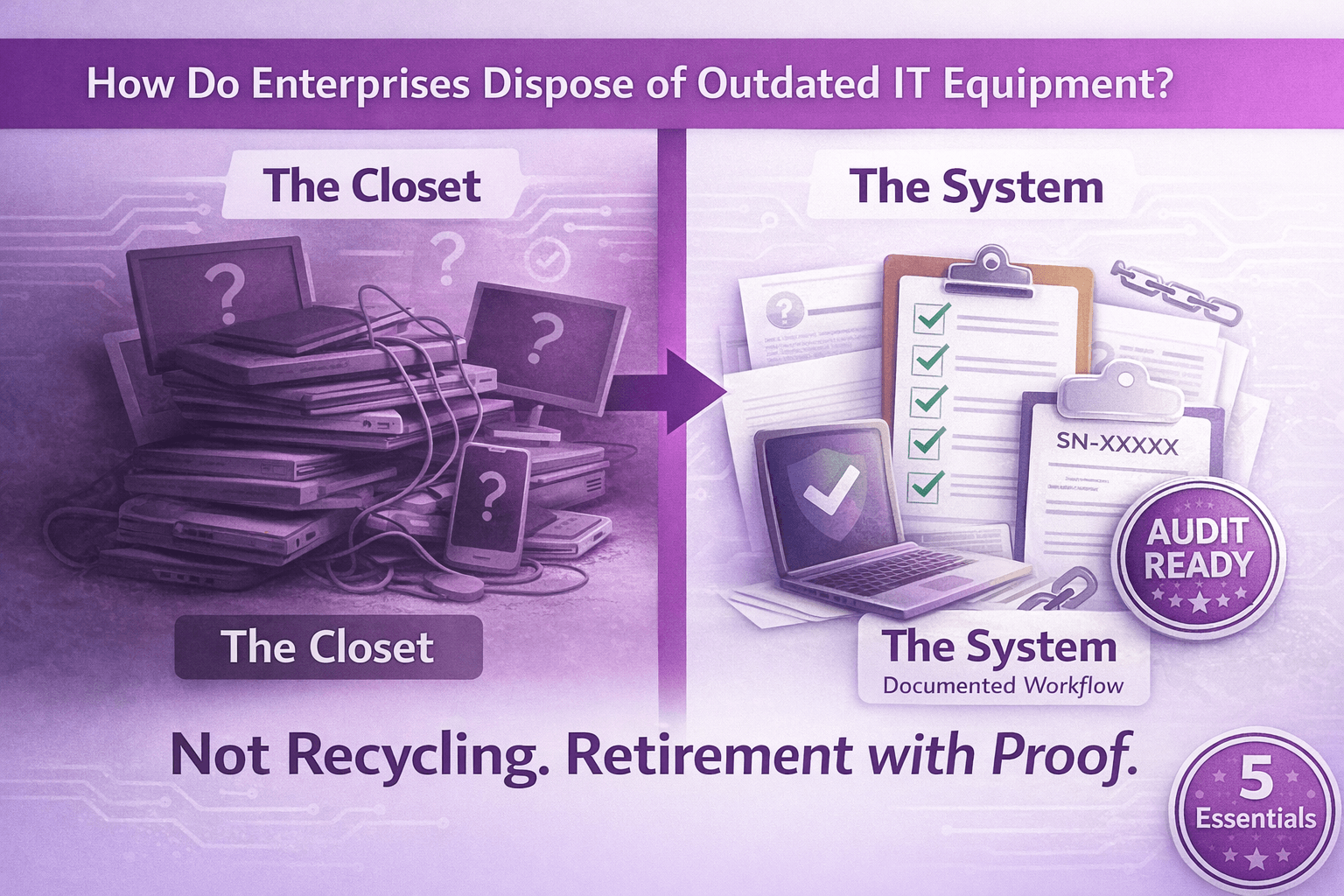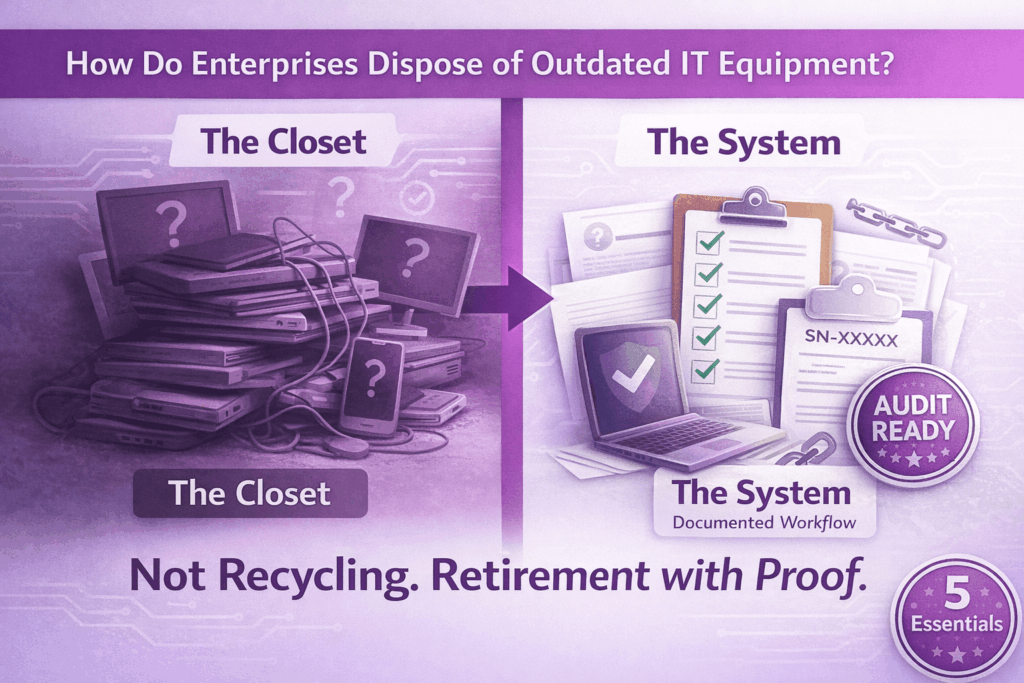
Somewhere in your organization right now, there is a closet. Maybe two. One at headquarters, a couple at regional offices. Possibly a stack of boxes in a former IT manager’s spare corner that predates the last two leadership changes.
Inside: laptops from a refresh three cycles ago. Monitors that nobody uses anymore. Docks, phones, tablets — some wiped, some not, most of them untracked. Everybody knows they need to go. Nobody has formally made that happen. And with every quarter that passes, the data exposure risk compounds, the audit gap widens, and the residual hardware value evaporates.
This is how most enterprises actually live with outdated IT equipment — not because they lack policy, but because disposition is the step that always gets deferred. So when the question finally surfaces — how do enterprises dispose of outdated IT equipment without creating data risk or audit exposure? — the answer isn’t “call a recycler.” It’s: build a workflow you can actually run, repeat, and defend.
TL;DR: The Short Answer
Enterprises dispose of outdated IT equipment safely by running a documented, serialized process — not a one-time purge. The five essentials:
Serialized inventory at intake
Every device, every serial, every location tracked from the moment it enters the disposal stream.
Verified data sanitization or physical destruction
Proof tied to the specific device, not a batch. Serial-matched certificates that survive audits.
Documented chain of custody
From collection through final disposition, every handoff documented and retrievable.
Complete audit packet
Method used, timestamps, downstream pathway — organized like someone expects to be audited.
Value recovery where possible
Residual hardware value that can offset program costs and turn disposal into asset recovery.
If your current process can’t produce all five on demand, it’s not a process. It’s a habit.
How Do Enterprises Dispose of Outdated IT Equipment Without Creating Data Risk?
The word “dispose” is doing a lot of work here, and most organizations use it too loosely. Disposal isn’t “trash vs. recycle.” In an enterprise context, disposal means retire with proof. It means you can tell an auditor, a regulator, or your own CISO exactly what happened to every device that left the environment — what data was on it, what sanitization method was applied, who had it, and where it went.
That is a higher bar than most teams are hitting. And the gap usually isn’t malice or negligence — it’s that endpoint retirement is treated like a facilities problem when it’s actually a security and compliance problem wearing an IT jacket.
The data risk is easier to underestimate than it should be. A retired laptop isn’t just a storage device. It’s a synced folder, a cached credential set, a browser with saved passwords, a local copy of files that were never moved to the cloud. Even a device that was encrypted at rest carries residual risk if the disposition isn’t documented — because encryption alone doesn’t answer “what happened to the key, and when?” That answer needs to exist on paper, tied to the device’s serial number, retained for however long your regulatory environment demands.
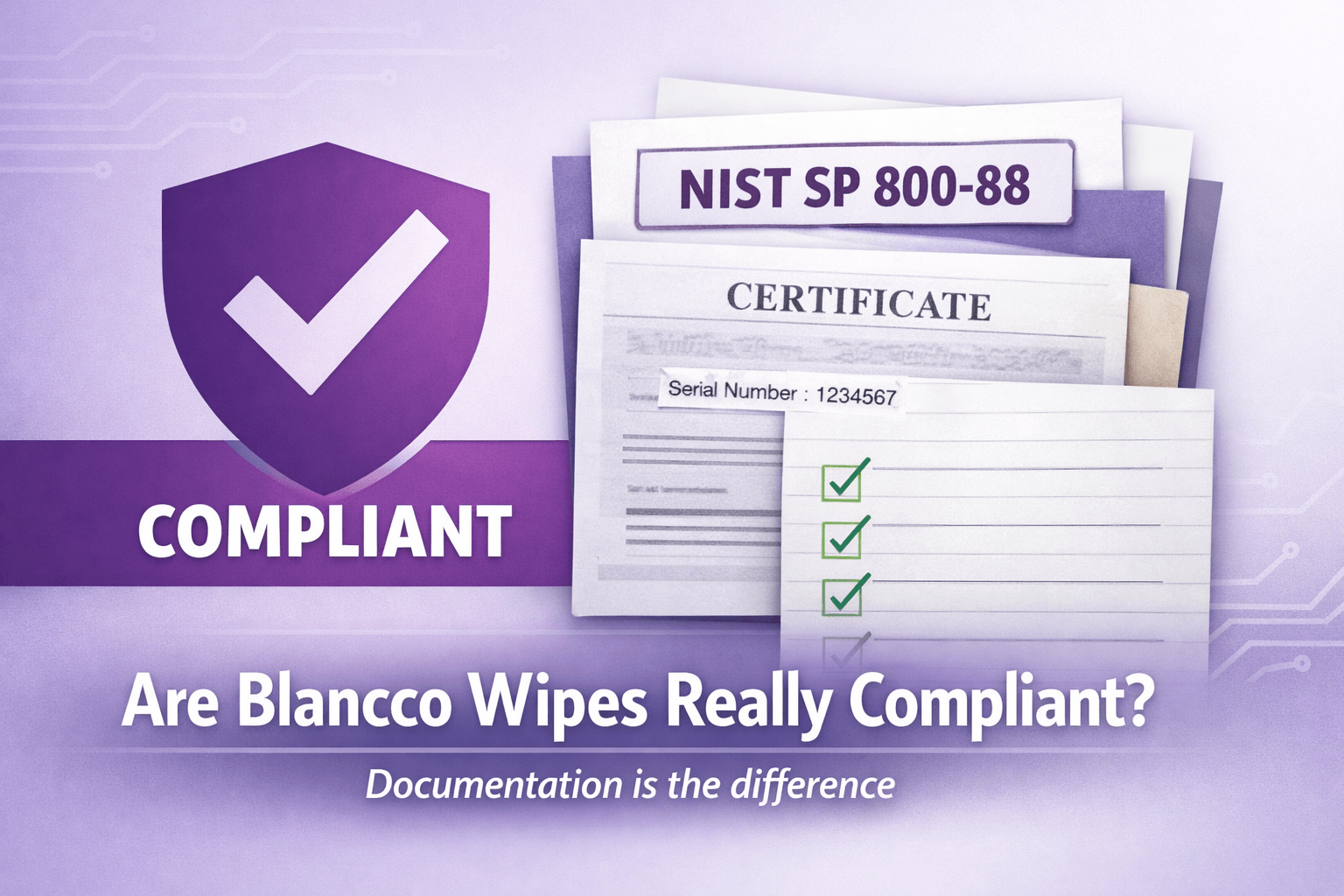
The standard enterprises align to for this is NIST SP 800-88 — Guidelines for Media Sanitization. It defines three sanitization outcomes: Clear (overwrite for reuse), Purge (cryptographic or more aggressive methods for sensitive data), and Destroy (physical). The standard’s requirements are less about which method you choose and more about two things: that the method is appropriate to the data classification and the media type, and that you can verify and document that it happened. That verification requirement is where most enterprise programs quietly fail.
The Enterprise Workflow for Disposing of Outdated IT Equipment (Repeatable, Auditable, Sane)
Most enterprises don’t have a broken disposal program. They have an informal one — and informal processes don’t scale across multiple sites, remote workers, and quarterly refresh cycles without leaving gaps.
A repeatable workflow looks like this.
Step 1: Serialized inventory at intake. Every device that enters the disposal stream gets logged: serial number, asset tag, device type, prior user or location. This intake record is the master key for everything that follows. Without it, you cannot match a sanitization certificate to a specific device. Without that match, you don’t have documentation — you have a claim.
Step 2: Collection that matches your actual geography. Multi-site enterprises and organizations with remote workers cannot run a single-location drop-off model and expect it to work. That means coordinating regional pickups for office consolidations, managing ship-kit returns for remote employees, and building a process for peripherals — monitors, docks, mobiles — that reliably get left out of standard laptop return flows. The devices that go untracked in transit are the same ones that show up as unexplained gaps in an audit.
Step 3: Verified data sanitization or physical destruction. The sanitization method depends on the drive type, the data classification, and whether the device is destined for reuse or end-of-life. What doesn’t change is the requirement for verification: proof that the process completed successfully, tied to the identity of that specific device. A batch certificate that says “150 drives wiped on March 4th” is not an audit-ready record. A serial-matched certificate that says “Drive SN-XXXXX received a NIST 800-88 Clear overwrite, verified, on March 4th at 14:32 by [operator ID]” is.
Step 4: Documented final disposition. Where did the device go? Resold, recycled, shredded, donated — each pathway has a different documentation requirement and a different risk profile. A device that went to resale without a transfer of sanitization records is still a liability. One that was destroyed with a chain-of-custody-verified destruction certificate is not. The final disposition report is what lets you close the loop on each asset in the retirement cycle.
Step 5: Value recovery where applicable. Functional hardware — particularly recent-generation laptops, workstations, and networking equipment — retains resale value that most enterprises leave on the table. A disciplined grading and triage process at intake can identify what’s recoverable, and the recovered value can partially or fully offset the cost of the disposition program. Finance teams appreciate this more than IT teams usually expect.
What Auditors and Compliance Teams Actually Want to See
There is a meaningful difference between “we have a certificate” and “we can prove what happened to each asset.” Auditors who work in this space know that difference and will probe for it.
Audit-ready documentation for enterprise IT disposition means: a serial-matched record for every device showing the sanitization or destruction method used, the date and timestamp, the operator or system that executed it, and the downstream pathway. It means a chain-of-custody record that accounts for every handoff — from collection through transport to the vendor facility to final disposition. And it means you can retrieve any of those records on demand, not “we’d have to go find that.”
The records retention question matters more than most teams realize. If a data incident surfaces eighteen months from now, and it involves a device that was retired in this cycle, the question will be: “Can you prove that device was sanitized before it left?” If the answer requires reconstruction from emails and memory, that is not a defensible position. If the answer is a retrievable, serialized record tied to that device’s serial number, it is.
For a comprehensive breakdown of what secure data destruction documentation should include and how to structure audit-ready certificates, that resource covers the methods, standards, and compliance requirements most organizations miss.
Vendor Checklist for Enterprise IT Disposal
Not all ITAD vendors are built for enterprise compliance requirements. These questions separate the ones that are from the ones who sound like they are.
- Can you produce serial-matched wipe or destruction reports for every device? Not batch-level summaries. Individual records tied to individual serials. If the answer is vague, so is their process.
- Can you document chain of custody from pickup to final disposition? Every handoff in the chain — collection, transport, intake, processing, output — should exist as a record, not a memory.
- Are you R2 or e-Stewards certified? These are third-party audited standards, not self-declared badges. R2 covers responsible reuse and recycling. e-Stewards has additional environmental management system requirements. Either is meaningful. Neither is magic — you still need to ask the specific questions above.
- What’s your triage and grading process for value recovery? A vendor who doesn’t have a clear answer here is not maximizing your asset recovery — and may not be telling you the full picture about where your devices go.
- How do you handle remote returns and multi-site pickups? The operational answer tells you whether their process actually fits a distributed enterprise, or whether it only works if everything is in one place.
- What does your audit packet look like? Ask them to show you a sample. If they can’t produce one quickly, that’s your answer.
For detailed criteria on what certified ITAD solutions should include, that page breaks down the certifications, documentation standards, and vendor qualifications that actually matter for enterprise programs.
Common Failure Modes That Blow Up Enterprise Disposal Programs
- “We recycled it” — without a serialized intake record or a sanitization certificate tied to the device. The hardware left. The data liability didn’t.
- “We wiped it” — but the only proof is a spreadsheet someone built internally, without device-level verification tied to a recognized standard. That’s a claim, not documentation.
- Shadow disposals, where individual departments donate laptops to local charities, let employees take home old gear, or quietly trash devices without involving IT. Every one of those events is an undocumented data disposition — and depending on what was on the device, a potential breach disclosure.
- Backlog closets that become permanent. The “we’ll deal with it next quarter” problem compresses over time. What starts as six laptops becomes sixty. Sixty becomes a room. And the longer hardware sits untracked, the more its value erodes and the longer the data risk persists with no resolution date.
- Inconsistent policies across sites, where the main campus runs a reasonable ITAD program and regional offices run whatever seemed practical at the time. Auditors don’t grade you on your best site. They find the weakest one.
If any of these sound familiar, your process isn’t broken. It’s just informal. And informal doesn’t survive a breach investigation or a compliance audit.
For practical guidance on building enterprise endpoint ITAD workflows that account for multi-site complexity and remote worker returns, that guide walks through the operational controls most organizations need but don’t have.
The Environmental Piece (Without Turning It Into a Vibe)
The environmental argument for responsible IT disposal used to feel optional. Increasingly it isn’t — not because of values, but because of governance. ESG reporting pressure from investors, procurement sustainability requirements, and board-level reporting expectations have moved “what happened to our retired hardware” into the same category as energy usage and Scope 3 emissions.
The practical argument for reuse and refurbishment is straightforward: a device that gets responsibly refurbished and resold does not go to landfill, extends the useful life of the embedded materials and energy, and can carry a verified environmental benefit that feeds into sustainability reporting. e-Stewards, as a certification framework, includes environmental management system requirements and third-party auditing that give those claims more credibility than self-reported vendor data.
This isn’t a soft benefit. For enterprises with supplier sustainability scorecards or public ESG commitments, verified diversion from landfill and downstream refurbishment data is documentation — and documentation has value in procurement and governance conversations that vague “eco-friendly” language does not.
The Workflow Is the Policy
Enterprises don’t solve the question of how to dispose of outdated IT equipment by writing a better policy. They solve it by running a better process — one that produces serialized documentation, survives an audit, accounts for distributed geography, and runs every quarter instead of every time someone notices the closet is full.
The payoff is concrete: less data exposure, fewer audit gaps, cleaner refresh cycles, and optional budget offsets from value recovery. None of that requires a new framework. It requires a workflow with the right vendor, the right documentation structure, and the discipline to run it consistently.
That is the real answer to how do enterprises dispose of outdated IT equipment. Not recycling. Retirement with proof.
For a foundational overview of what IT asset disposition entails and how to structure enterprise hardware retirement policies, that guide covers the full framework from policy development to vendor selection.
Frequently Asked Questions: Enterprise IT Equipment Disposal
Straight answers for IT leaders, compliance teams, and procurement managers coordinating enterprise hardware retirement.
How do enterprises dispose of outdated IT equipment without creating data risk?
Enterprises dispose safely by running a documented, serialized process with five essentials: (1) serialized inventory at intake, (2) verified data sanitization or physical destruction with proof tied to each device, (3) documented chain of custody from collection through final disposition, (4) complete audit packet with method used and timestamps, (5) value recovery where possible. If your process can’t produce all five on demand, it’s not a process—it’s a habit.
What does “audit-ready” IT disposal documentation look like?
Audit-ready documentation means serial-matched records for every device showing sanitization or destruction method, date/timestamp, operator or system ID, and downstream pathway. It includes chain-of-custody records for every handoff and the ability to retrieve any record on demand—not “we’d have to go find that.” Batch certificates covering multiple devices without serial-level detail fail audit scrutiny.
What’s the difference between “disposal” and “retirement with proof”?
Disposal is what you call it. Retirement with proof is what compliance requires. It means you can tell an auditor, regulator, or your CISO exactly what happened to every device: what data was on it, what sanitization method was applied, who had it, and where it went. That documentation standard is higher than most teams are hitting—and the gap creates data exposure and audit risk.
How do we handle IT disposal across multiple sites and remote workers?
Multi-site enterprises need coordinated regional pickups for office consolidations, ship-kit returns for remote employees, and a documented process for peripherals (monitors, docks, mobiles) that reliably get left out of standard laptop returns. Single-location drop-off models don’t work for distributed organizations. The devices that go untracked in transit are the same ones that create unexplained gaps in audits.
What NIST standard applies to enterprise IT equipment disposal?
NIST SP 800-88 (Guidelines for Media Sanitization) is the standard enterprises align to. It defines three sanitization outcomes: Clear (overwrite for reuse), Purge (cryptographic or aggressive methods for sensitive data), and Destroy (physical). The standard requires that the method is appropriate to data classification and media type, and that you can verify and document that it happened. Verification is where most programs fail.
Can we recover value from outdated enterprise IT equipment?
Yes. Functional hardware—particularly recent-generation laptops, workstations, and networking equipment—retains resale value most enterprises leave on the table. A disciplined grading and triage process at intake identifies what’s recoverable. Recovered value can partially or fully offset disposition program costs. Finance teams appreciate this more than IT teams expect.
What certifications should an enterprise ITAD vendor have?
Look for R2 (Responsible Recycling) or e-Stewards certification—both are third-party audited standards, not self-declared badges. R2 covers responsible reuse and recycling. e-Stewards has additional environmental management system requirements. Either is meaningful. Neither is magic—you still need to ask vendor-specific questions about serial-matched reporting, chain of custody, and audit packet structure.
What’s the biggest mistake enterprises make with IT equipment disposal?
Running an informal process instead of a documented workflow. Informal processes don’t scale across multiple sites, remote workers, and quarterly refresh cycles without leaving gaps. “We recycled it” without serialized intake records, “we wiped it” without device-level verification, shadow disposals by individual departments, and backlog closets that become permanent—all create data exposure and audit risk that formal workflows prevent.