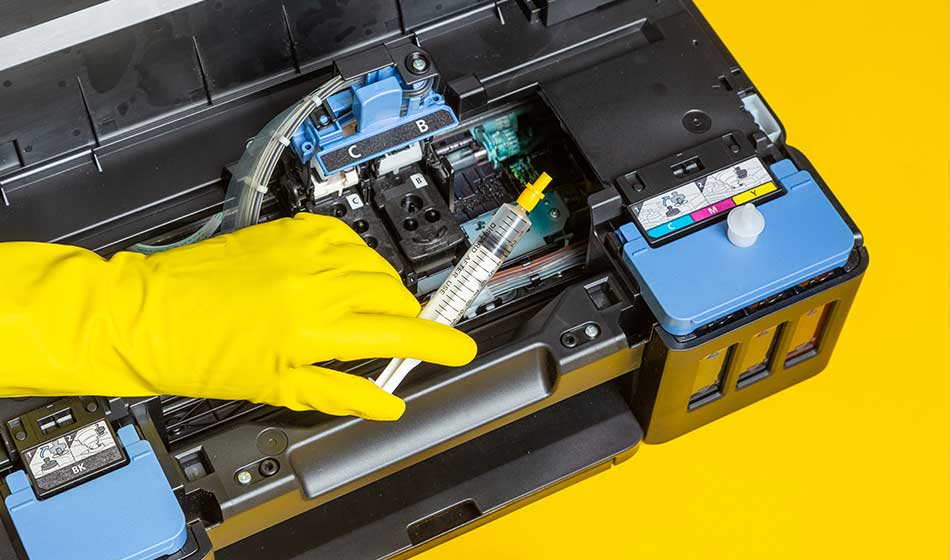
Since printer ink is expensive, avoid wasting money by letting your ink cartridge dry out. Ink cartridges can dry out due to improper use and storage. As much as possible, you want to prevent your ink cartridges from drying out by using your printer more frequently, moistening them, storing them in a cool, dry place, and keeping unused cartridges sealed.
Read on to find out in more detail!
Use Your Printer Weekly
As infrequent usage is one of the prime reasons for dry-outs, it is important that you print a few documents once a week just to get the engine going. By doing so, you reduce the build-up of ink, since everything flows nicely when you print.
Moisten Your Ink Cartridges
If you do not want to waste ink by doing weekly test prints, you can apply moisture to the ink cartridge occasionally. First, you remove the cartridge from your printer. Then, clean the cartridge’s surface with a damp cloth to remove dried or wet ink. This helps to prevent clogging. Then you remove any excess moisture using a dry cloth. Thereafter, place the cartridges back into the printer.
Related Content: Here’s what to do when your printer isn’t printing black
Proper Storage of Ink Cartridges
As far as possible, you should store your cartridges in a cool, dry area that is neither too hot nor too cold. If the temperature is too extreme, the ink may dry out. When you store your cartridge, keep it upright. This allows the ink to flow to the bottom of the cartridge. If you store them sideways, some of the ink may collect at the nuzzle, which can dry very easily. You will also get spotty prints.
Regulate Air Temperature during Printing
In addition to ensuring the right temperature when storing the ink cartridges, you should also maintain the right temperature while printing your documents. This is because a nice temperature of 68 degrees Fahrenheit can help to prevent your ink cartridges from drying out while printing.
Always Seal Your Cartridges
Your cartridges should always be sealed. If they are left open, the ink can evaporate, leading to dryness. If your cartridge comes without a seal, or you have accidentally removed it, there are some steps you can take to resolve the issue. You should place the cartridge nozzle side up and a clean, damp cloth in the tub. Store the tub in a cool, dark place.
If you are looking for high-quality yet affordable ink cartridges, turn to a trusted OEM printer ink and toner supplier. Their wide range of ink cartridges for major brands, such as Epson and Panasonic, demonstrates that we are a resourceful organization. OEM Connect also stores products in an air-conditioned environment, helping prevent deterioration. This also means the inks are less likely to dry out. The ink cartridges are also sold at a lower market value because we buy at a better price. As we all know, print inks are expensive, so buying from us would be the best choice. Contact OEM Connect to find out more about our products.
Want to skip human contact? Grab OEM toner and ink directly from our eBay store!

Frequently Asked Questions: Preventing Ink Cartridges From Drying Out
1) Why do ink cartridges dry out in the first place?
Ink dries when air reaches the nozzles or printhead, especially if the printer sits unused. Heat, low humidity, direct sunlight, and leaving cartridges unsealed (or stored incorrectly) all speed it up.
2) How often should I print to keep ink from drying out?
Rule of thumb: run a small test print on a regular schedule (even a quick black + color pattern). If you barely print, that “tiny routine print” matters more than people think.
3) Should I remove the cartridges when I’m not using the printer?
Usually, no. Most inkjet printers “cap” the printhead when parked, which helps prevent drying. Pulling cartridges can expose the nozzles to air and make things worse unless you have a specific reason to remove them.
4) What’s the best way to store unopened (new) ink cartridges?
Keep them in the original packaging, stored in a cool, dry place away from direct sun and big temperature swings. Don’t open them until you’re ready to install.
5) If I do have to remove an opened cartridge, how do I store it without ruining it?
Keep the nozzles protected and avoid contact with anything. If the cartridge has a protective cap, reinstall it. Store it so the nozzles aren’t rubbing on a surface, and avoid tossing it loose in a drawer.
6) Can I “revive” a cartridge that already dried out?
Sometimes you can recover partial performance if it’s only lightly dried or clogged. Start with the printer’s built-in maintenance steps (nozzle check / head cleaning). If multiple cleanings don’t improve anything, it may be too far gone.
7) Does running cleaning cycles waste ink?
Yes, cleaning cycles use ink. But they’re often cheaper than replacing a cartridge prematurely. The smarter play is preventing clogs (regular small prints, clean environment, proper storage) so you don’t need deep cleanings as often.
8) How do I know if my cartridge is drying out vs. just running low?
Drying/clogging usually looks like missing lines, streaks, or certain colors dropping out even when ink levels don’t look “empty.” Low ink is more like fading overall. A nozzle check pattern can help you tell the difference fast.
9) What environment helps prevent drying—does temperature or humidity matter?
Yes. Keep the printer away from heat sources, direct sunlight, and overly dry airflow. A stable, normal indoor environment is your friend.
10) What’s the fastest “maintenance routine” that actually works?
Keep the cartridges sealed until use, keep the printer in a stable environment, and print something small on a schedule. If print quality starts slipping, do a nozzle check first, then a cleaning if needed.